

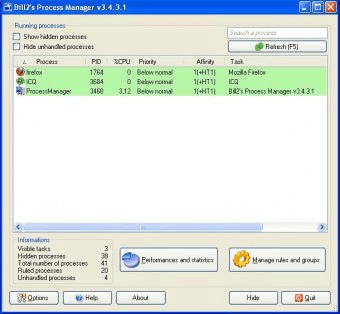
Bill2's Process Manager is a far going alternative to standard Windows process manager. Unlike the Windows process manager this one will not only display or close the applications and finish the processes running on your PC, but also allow you to set the priorities for a program. You will be able to apply rules for a certain program as well as for a group of programs. Bill2's process manager can also automatically lower the priority of a process that is taking too much CPU resourses.
Apart from its numerous advanced, adjustable possibilities the program also provides you with a packet of minor pleasant settings not available in the Windows process manager. For example, you will be able to change the skin of the manager's interface, colors of ruled processes, performances, graphics, and memory usage pie chart.
Moreover, you are allowed to set the program to show the ballon tips while you will be performing certain actions. And this is rather helpfull because, the help file is, unfortunately, only in French for the moment.






Comments (5)
This can be useful for CPU-intensive programs such as games and video-editing software.
You can also set something like Google Chrome to Below Normal so it's not sucking your system resources constantly.
The point being you can't do this in other versions of Process Explorer. You have to do it manually each time you run the program.